You probably landed here from a short auto-published by Reeledia — from one of many accounts.
One Dashboard.Hundreds of Accounts.Zero Manual Posting.Stop Posting. Start Scaling.
Reeledia centralizes short-form video production and publishes it straight to your connected accounts.
— post ours, or your own.
Reeledia — with our step-by-step guide.
Turn our clips into an income stream
Your subscription comes with a ready-made way to earn: promote Reeledia with the clips we give you and collect 30% of every new customer's first payment. We walk you through every step.
01
Get your personal link
Subscribe, open the affiliate page, and your referral link is created in one click.
02
Post our clips
Use the 6,000+ ready-made clips included in your subscription, and add your link wherever you share them.
03
Someone subscribes
Anyone who signs up through your link is tied to you for 30 days — you see every click, sign-up, and customer in your panel.
04
Get paid
You earn 30% of their first payment. Payouts are monthly, by PayPal or bank transfer.
We walk you through every step, from your first post to your first payout — write to us in Support any time. Earnings depend on your own promotion and aren't guaranteed.
Estimate your earnings
Based on every 5 accounts you run bringing in 1 Growth-plan ($99/month) sale per day, at 30% commission.
← Drag the slider to see your numbers
Estimated sales
10.0 / day
Estimated earnings
$297 / day
Estimated earnings
$8,910 / month
A planning estimate, not a promise — it assumes a steady 5-accounts-per-sale rate and only counts each customer's first payment. Your actual results depend on your own promotion and aren't guaranteed.
More ways to earn with Reeledia
Start with the affiliate program, then stack whatever fits you — here's how people put many accounts to work.
Start here · Affiliate program
Earn 30% of every new customer's first plan payment
The one way to earn that comes built in. Here's the whole path, start to payout:
- 1Subscribe, then open Affiliate program from the menu in your account and join — your personal link is created in one click.
- 2Make one extra link per account or channel (up to 20), so you can see which one actually brings customers.
- 3Post our 6,000+ clips (or your own) and put the link where people can tap it: bio, pinned comment or video description.
- 4Anyone who signs up through your link within 30 days is credited to you — every click, sign-up and paying customer shows up in your panel.
- 5Each commission becomes payable 30 days after the payment (the refund window). Payouts run monthly once you reach $50, to PayPal or bank transfer — add your payout details in the panel.
Only the first plan payment earns commission (not renewals, not the trial fee). Self-referrals and misleading claims aren't allowed — see section 13 of the Terms.
Clipping
Clip streamers at scale
Cut long streams into hundreds of shorts with any AI clipping tool, drop the files into a Reeledia folder, and let them publish across all your accounts at the hours you choose.
Clip with the creator's permission, or through clipping campaigns that allow it — don't repost content you don't have the rights to.
Views
Platform view-based programs
TikTok and Instagram run programs that pay for views on eligible content. Reeledia keeps a steady stream of posts going across many accounts, so you can put in the volume.
Eligibility, countries, minimums and payouts are set by the platforms and change often — check that your account and content qualify before counting on it.
E-commerce
Dropshipping & product pages
Show products in short videos, put your shop or product link in the bio, and post your best creatives across many accounts. Test on a few, then push what converts to the rest.
Idea
Run pages for clients
Offer posting as a service — manage a business's or creator's short-form presence across their accounts. One dashboard makes it realistic to take on several clients at once.
Idea
Sell promo spots on your pages
Once a themed page has an audience, brands and creators will pay for a mention or a pinned post. Many pages in one niche means more places to sell.
Idea
Drive traffic to your own offer
Point every account at the same thing — a newsletter, a digital product, an app, a service — and let steady posting do the top-of-funnel work.
These are examples of how people use Reeledia — not promises of income. Results depend on your own work, niche and the platforms' rules, which change. Only post content you have the rights to.
What subscribers are saying
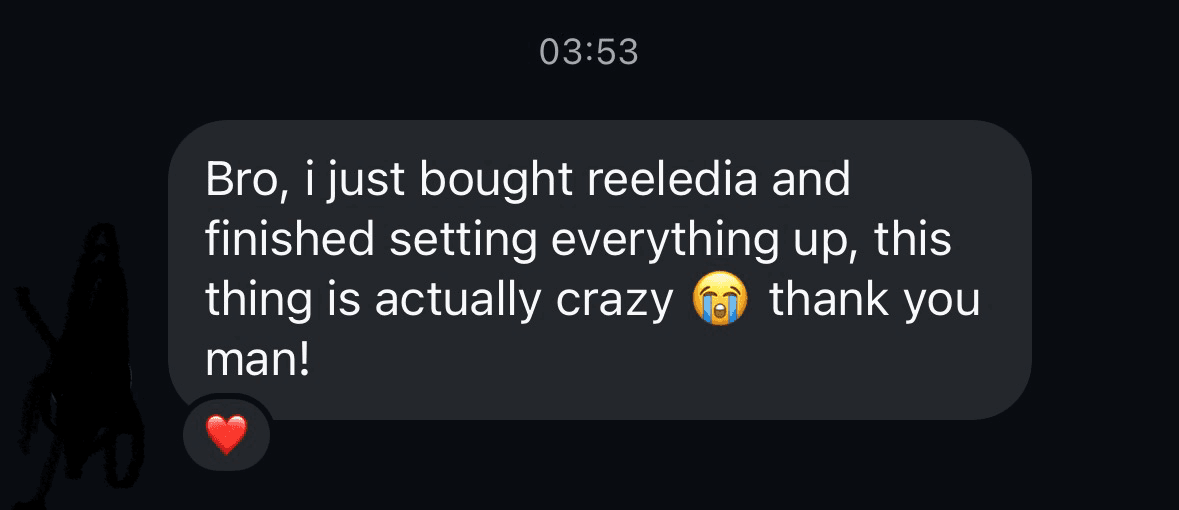
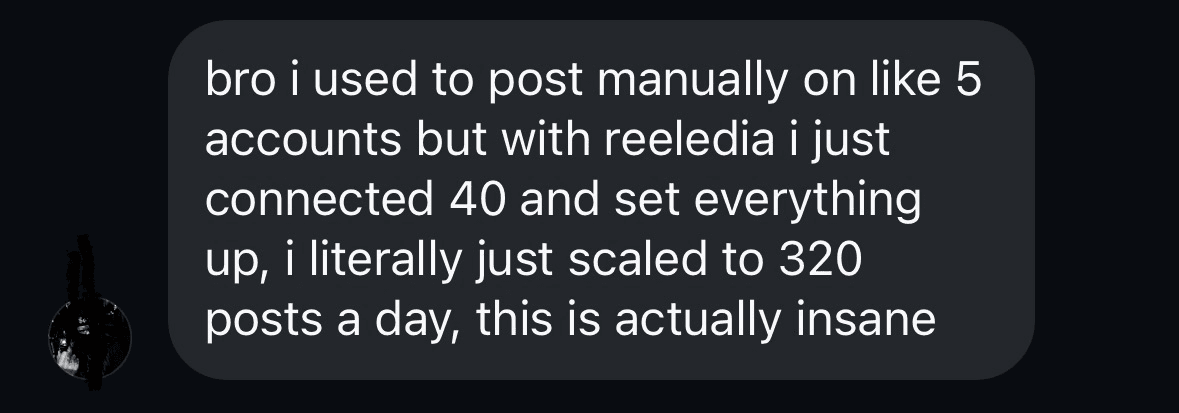
“ngl reeledia is actually sick tutorials made setup way easier than i expected and the automation is crazy. affiliate program is a huge W too you can make some good money just by sharing it with others”
fh9klt · Discord
“wait so if you get 20 people to sign up through your affiliate link thats already some serious money, glad i found this so early bro the potential is crazy”
hendela0 · Discord
“been using reeledia for a week and already made my first 2k 😭 actually crazy didnt expect things to move this fast lol thanks to winiar for helping me out 🙏”
BlankaaaaaIw · Discord
Individual results — not typical, not guaranteed.
See it for yourself before you commit
Start with the free demo, or go straight to the real thing for a week.
Free demo
- Create a free account and download the Windows app.
- Click through the whole workflow with sample accounts and clips — see exactly how it feels.
- Demo only: you can't connect your own accounts or publish until you pick a plan.
7-day trial
- The full app, for real — connect 2 accounts and publish from them.
- The step-by-step guide in the app and support from our team.
- After 7 days it continues as Starter with 5 accounts ($24/month — add more in your account) automatically — unless you cancel before. Cancel any time in your account.
One trial per customer. The $3 trial fee isn't refunded.
One workflow, start to finish
Bring your own videos or use the included library — everything flows through the same folder to your connected accounts.
Import
Put videos in a folder — your own, or from the included library.
Queue
Attach the folder to your connected accounts. Its videos become the queue — no picking clips one by one.
Schedule
Choose the hours you want to post.
Publish
Turn it on once. Videos go out by themselves at those hours — for a whole week.
Manage every account from one screen
Connect all your accounts into one dashboard and see each account's status, platform, and publishing progress at a glance — no phones, no switching between apps.
- Account status at a glance
- Per-account platform and schedule
- Bulk actions across accounts
- Built for teams running many accounts, not just one
@studio.creates
TikTok
@studio.daily
@studio.clips
YouTube
@studio.reels
@studio.shorts
TikTok
Set it once, let it run
Point Reeledia at a folder of videos and choose the hours you want to post. Turn it on once and the files publish by themselves — a whole week of posts, without touching anything.
- Attach a folder — the videos inside publish on their own
- Choose the hours you want posts to go out
- Turn it on once and let it run for the week
- No picking clips or dates one by one
Auto-publish
OnFolder
D:\Clips\this-week
42 videos inside
Posting hours
Publish where your audience already is
Reeledia publishes to these platforms straight from your connected accounts.
Platform support may vary by app version.
A plan for every size of operation
Billing starts right away when you subscribe. Turn off automatic renewal any time and keep access until the period ends.
Need more than 250 connected accounts? Contact sales for a custom plan.
Included with every plan
- Publishing straight to your connected accounts
- Library of 6,000+ ready-to-use clips included
- Folder-based auto-publishing at the hours you choose
- A detailed step-by-step guide — from installation to your first week of posts
- 24/7 support from the team — messages or a phone call
- Affiliate program — your own link, 30% commission
A guide, 24/7 support, and a way to earn
Every subscriber gets a step-by-step guide in the app, direct support from our team and an affiliate program.
Guide in the app
A step-by-step guide right in the desktop app: installation, connecting your accounts and getting your first auto-publishing folder running.
Support, 24/7
Write to us in Support at any hour — we answer there and by email.
Phone call
Prefer to talk? Book a phone call from the bar at the top of the page and choose when we should call.
Affiliate program
Every subscriber gets a personal referral link and earns 30% commission on every new subscriber they bring in.
Frequently asked questions
What is Reeledia?
Reeledia is a Windows desktop app for managing multiple social media accounts and publishing short-form video content to them from one dashboard.
Does Reeledia guarantee more views or followers?
No. Reeledia automates the workflow on accounts you already control — it doesn't sell views, followers, or engagement, and it doesn't promise growth.
Do I need my own accounts?
Yes. Reeledia works with the social media accounts you already own, connected through each platform's own official login. It doesn't provide phones, SIM cards, or social media accounts.
What platforms are supported?
Reeledia publishes to TikTok, Instagram Reels, YouTube Shorts, Facebook (Reels and regular Page posts with text, photos or video), LinkedIn and Pinterest. Support may vary by app version.
Does it run locally or in the cloud?
Both. The Windows desktop app prepares videos from your folders on your own computer and uploads them, and scheduled posts are then published from our servers — so your computer can be off when they go out.
Is there a free trial?
There's a free demo: create an account and download the app — it runs with sample data so you can see how everything works, without connecting accounts or publishing. To try it for real, the 7-day trial is $3 (2 connected accounts); after 7 days it continues as Starter automatically unless you cancel before. Plans bought directly are billed immediately, and you can turn off automatic renewal at any time in your account.
Are there any costs besides the subscription?
No. Everything is in your Reeledia plan — accounts connect through each platform's official sign-in in your usual browser, with no extra tools or subscriptions.
What's the difference between the plans?
All plans include the same features — only the number of connected accounts differs: Starter 5–10 accounts (from $24/month, +$5 per extra account), Growth 11–25 accounts (from $50/month, +$3.50 per extra account), Scale 26–75 accounts (from $101/month, +$2 per extra account), Enterprise 76–250 accounts (from $239/month, +$1.50 per extra account). You pick the number of accounts when you buy and can change it in your account; to move to another plan, write to us in Support.
What do I get besides the app after subscribing?
Every subscription includes a library of 6,000+ ready-to-use clips, plus a step-by-step guide in the app and 24/7 support from the team — write to us in Support or book a phone call.
Is there an affiliate program?
Yes. Every subscriber gets a personal referral link and earns 30% commission on subscriptions made through it.
Bring your content workflow into one dashboard.
Get Reeledia and start publishing to every account you manage.